MyTrip Builder press kit
Everything you need to write about MyTrip Builder: ready-to-use descriptions, key facts, logos and screenshots. The product is in public beta.
Descriptions
One line: MyTrip Builder turns your flights, hotels and stops into a day-by-day plan with real distances and travel times between stops.
Short (about 50 words): MyTrip Builder is a trip-planning web app for trips with more than one stop. You enter flights, hotels, sights and costs, and it builds a day-by-day itinerary with distances and estimated travel times between consecutive stops. It works in English and Hebrew, including a full right-to-left interface, and trips can be shared as a link or a travel journal.
Long: Most trips live in ten open tabs: a booking confirmation here, a map there, a spreadsheet for costs. MyTrip Builder keeps them in one place. You organize a trip as days and stops, attach flights, hotels, notes, costs and files to each stop, and the app estimates distances and travel times between stops so you can see whether a day is realistic. It works in English and Hebrew, with a true right-to-left interface for Hebrew. Finished trips can be shared as a link, or turned into a travel journal that can be published. MyTrip Builder is not a booking service: its Bookings page links to partner sites, and it says so. It is currently in public beta.
Key facts
- What it is: a trip-planning web app that opens in the browser, with nothing to install.
- Languages: English and Hebrew, with full right-to-left support.
- Status: public beta.
- Website: www.my-trip-builder.com · App: www.my-trip-builder.com/app
- Not a booking service: the Bookings page links to recommended partner sites and discloses affiliate links.
- Your data: trips are saved to the user’s account when signed in; see the Privacy Policy.
Story angles
- From ten tabs to one plan. Flights, hotels, stops, costs and notes in a single day-by-day view.
- Is your day realistic? Real distances and estimated travel times between stops make over-packed days visible before the trip.
- Trips that become journals. A finished trip can be shared as a page or published as a travel journal.
Logos and screenshots
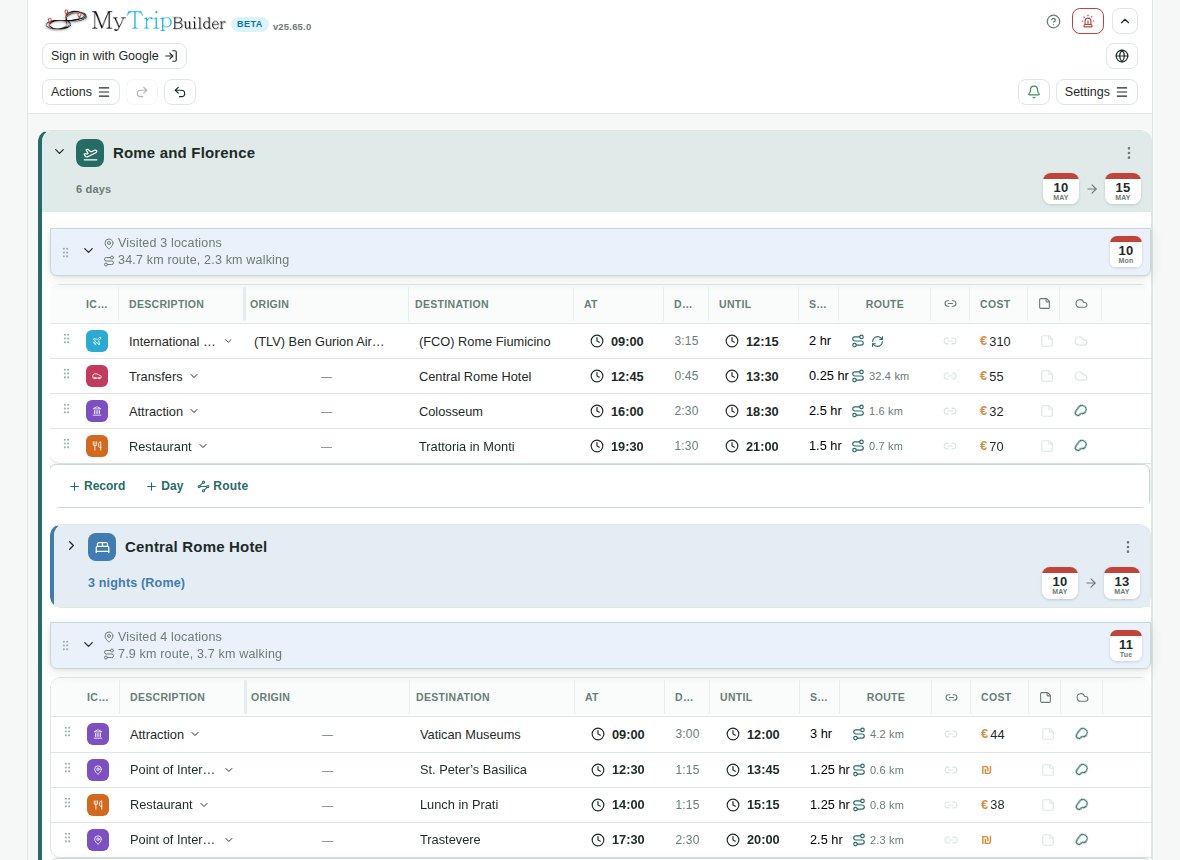
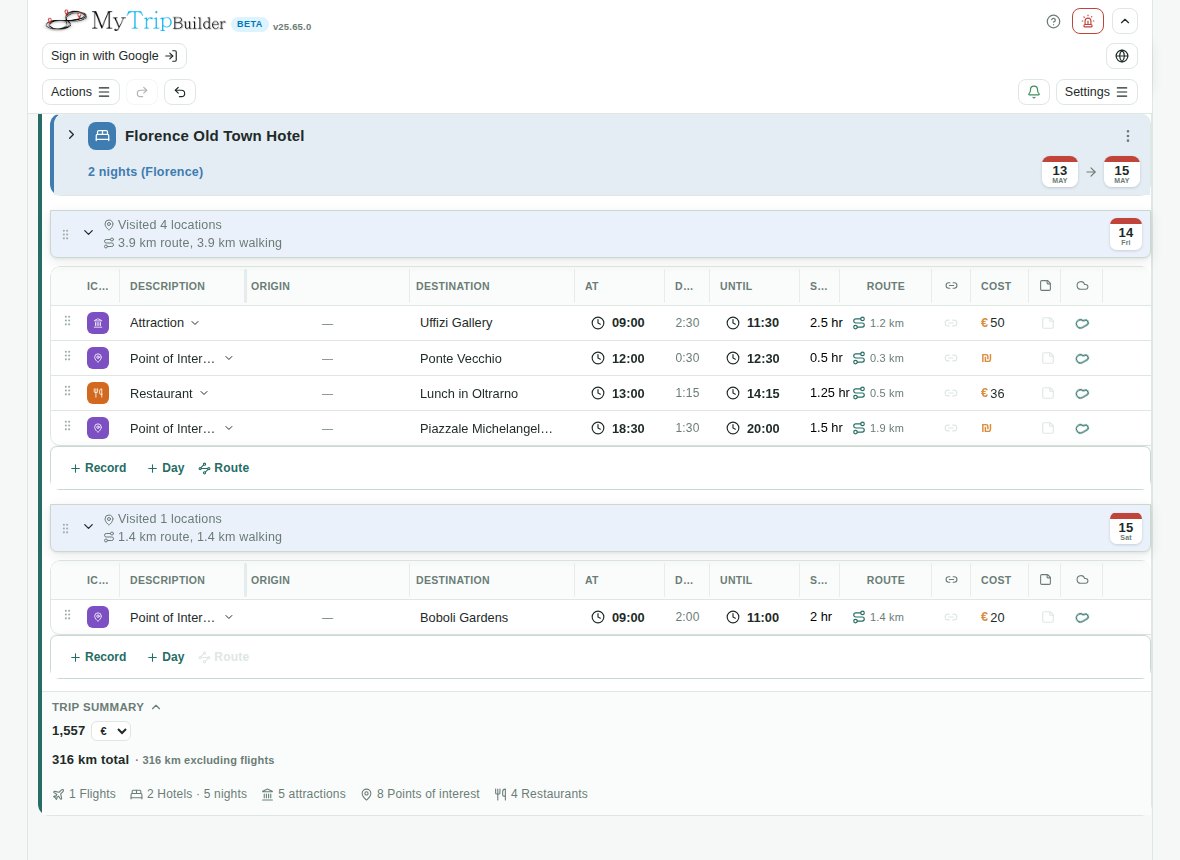
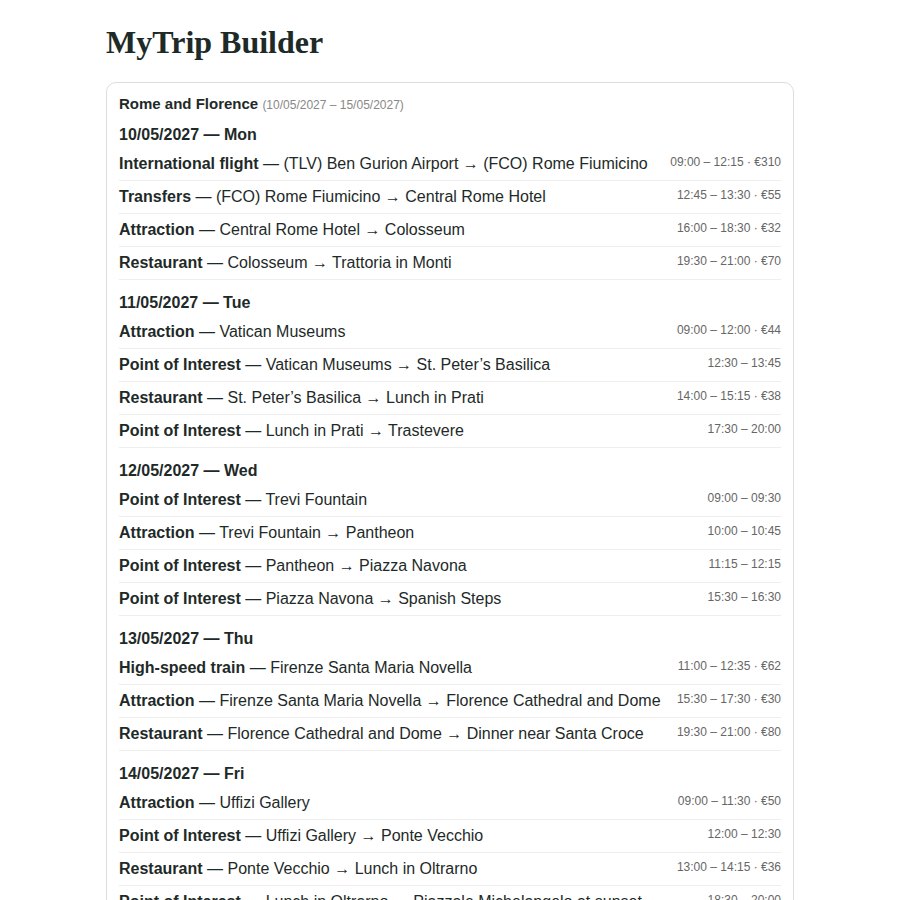
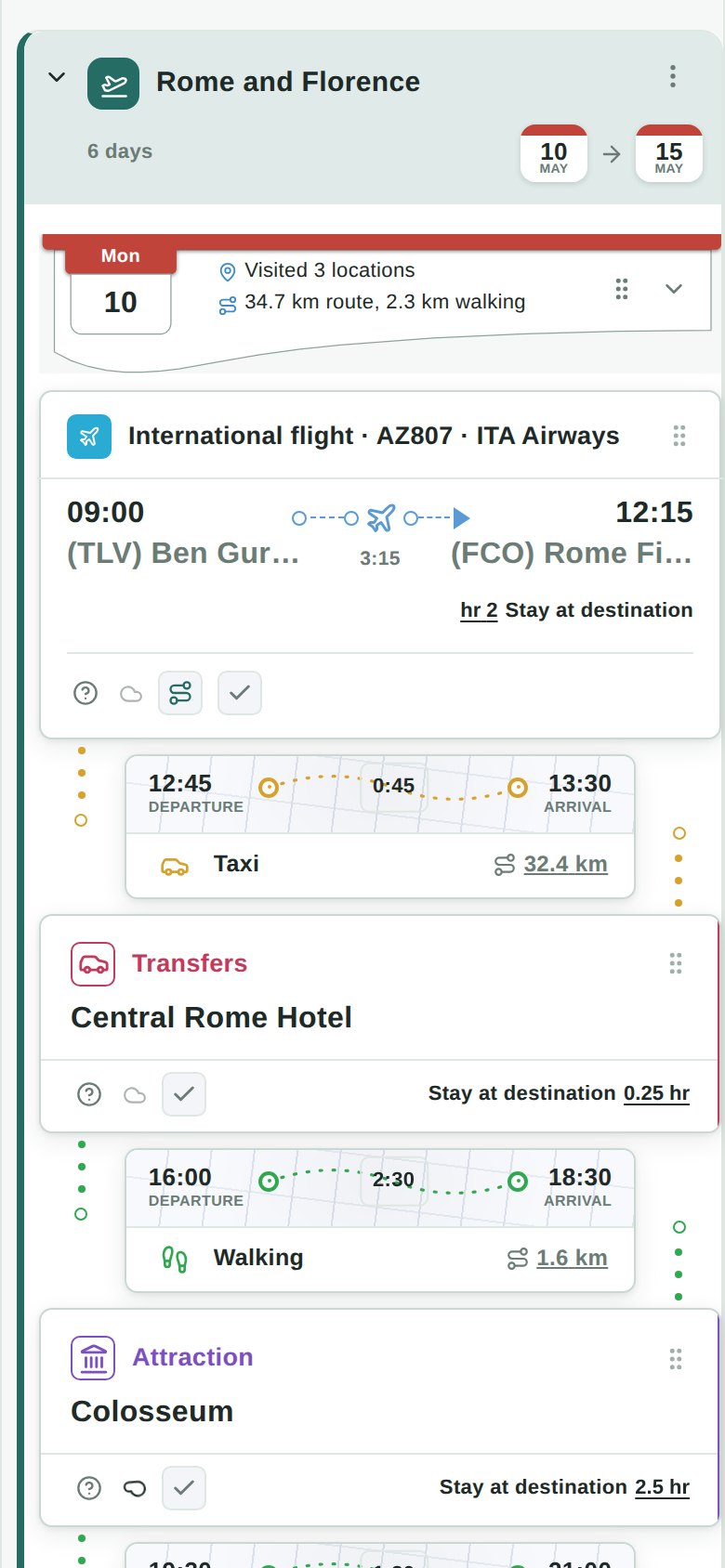
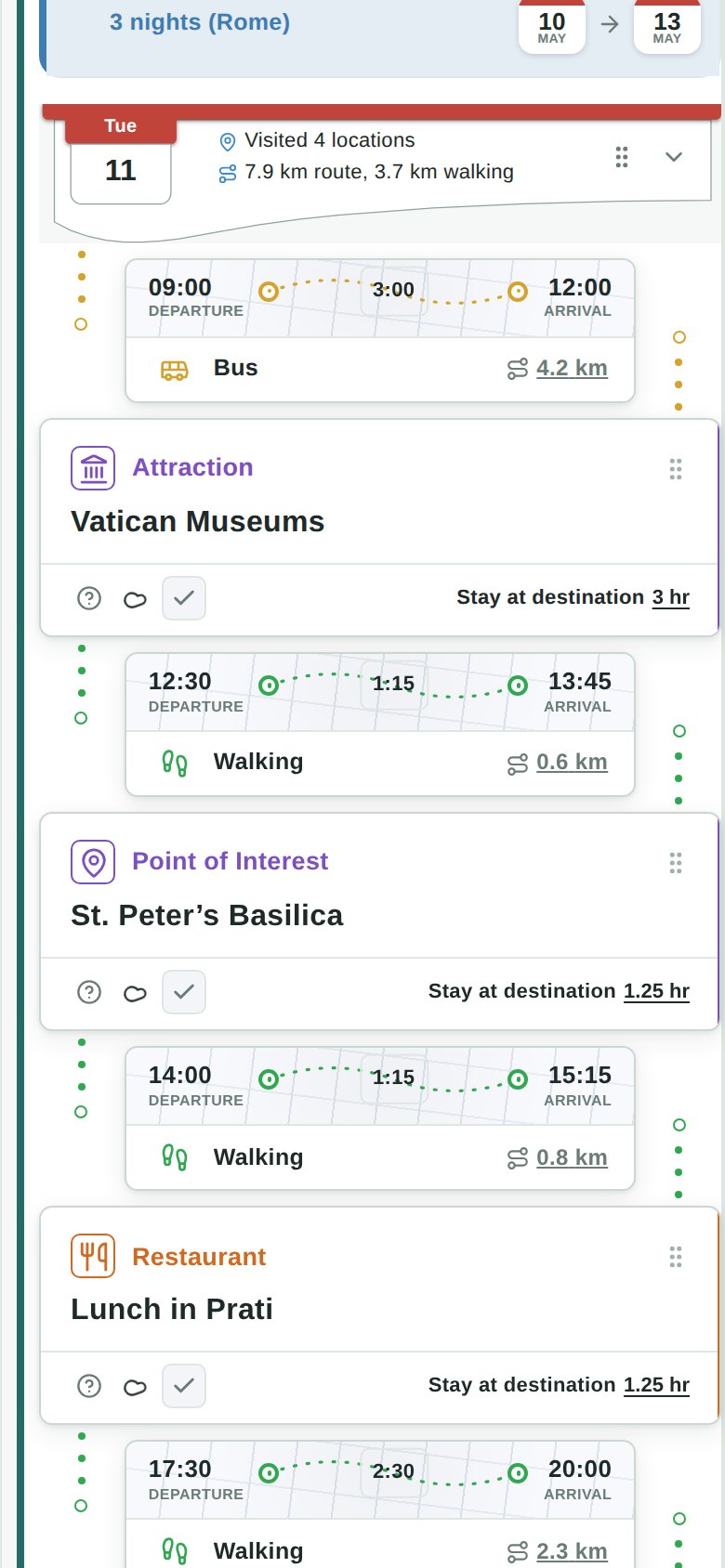
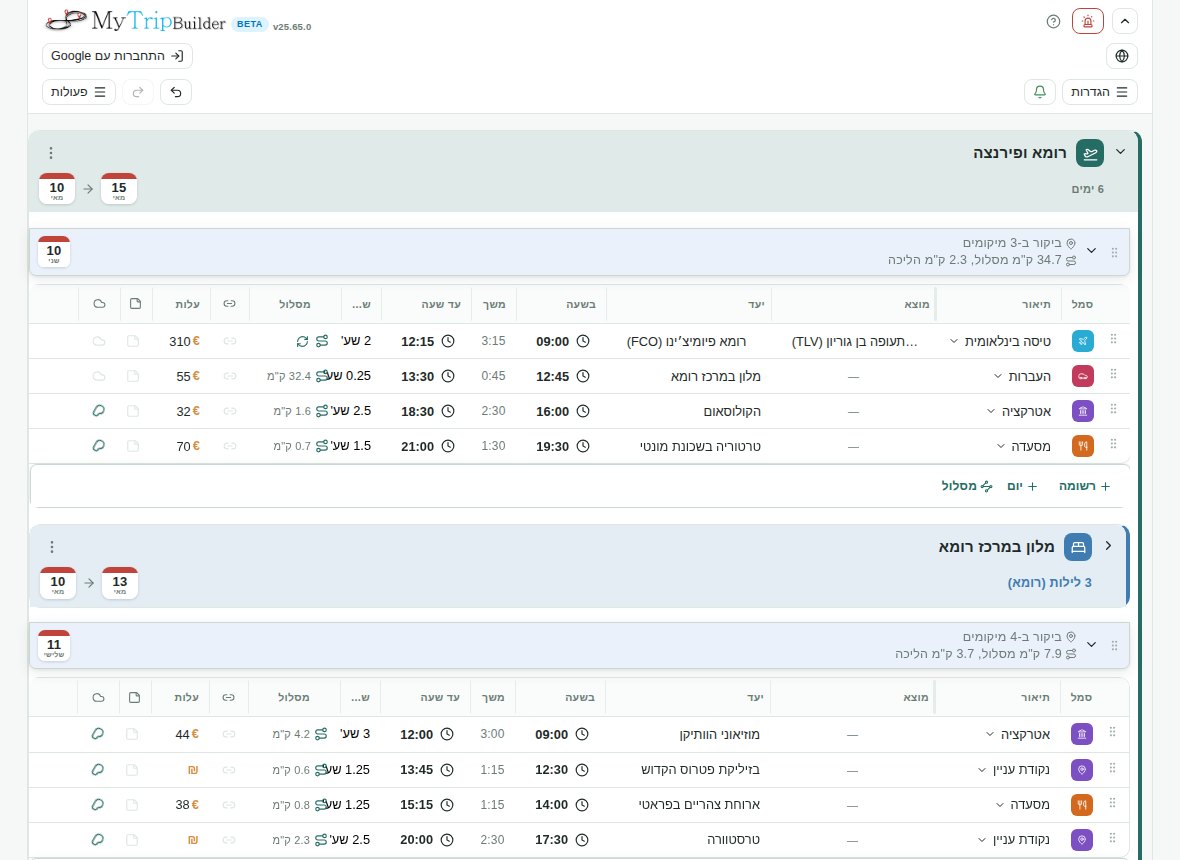
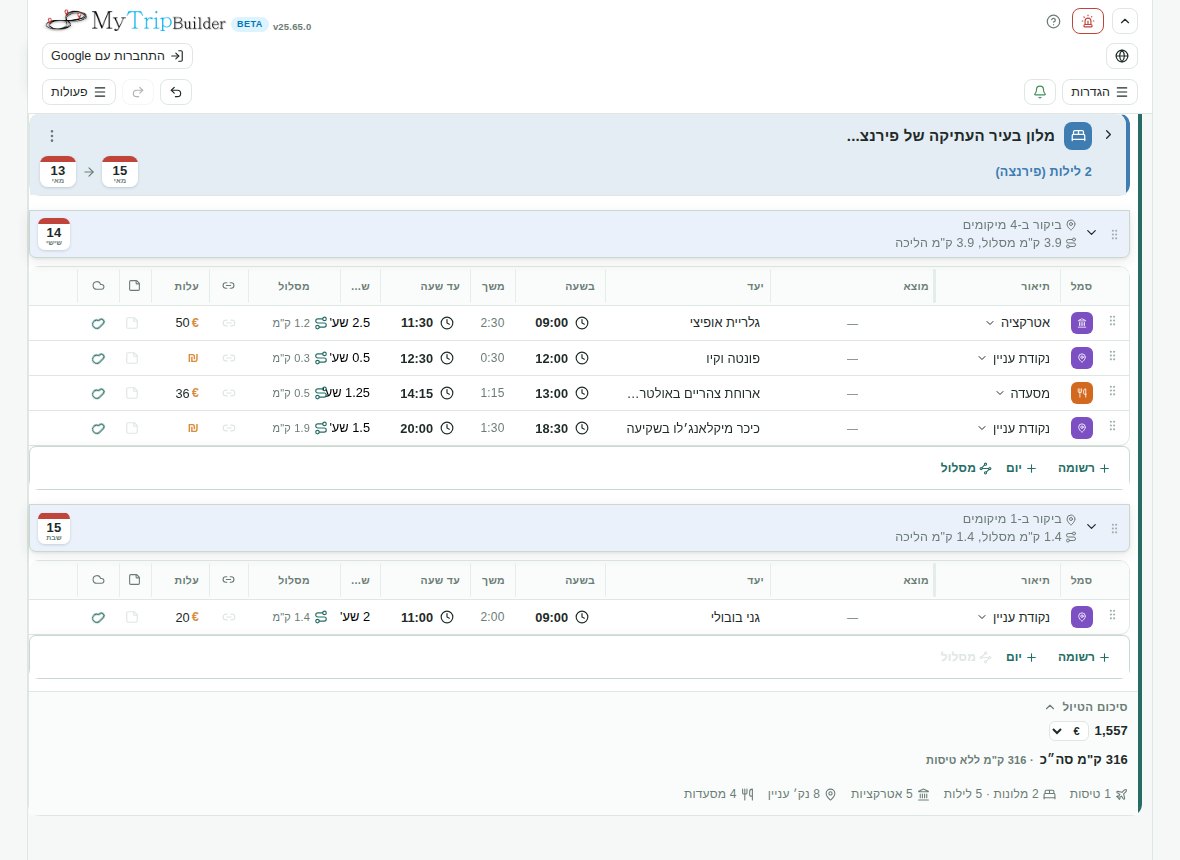
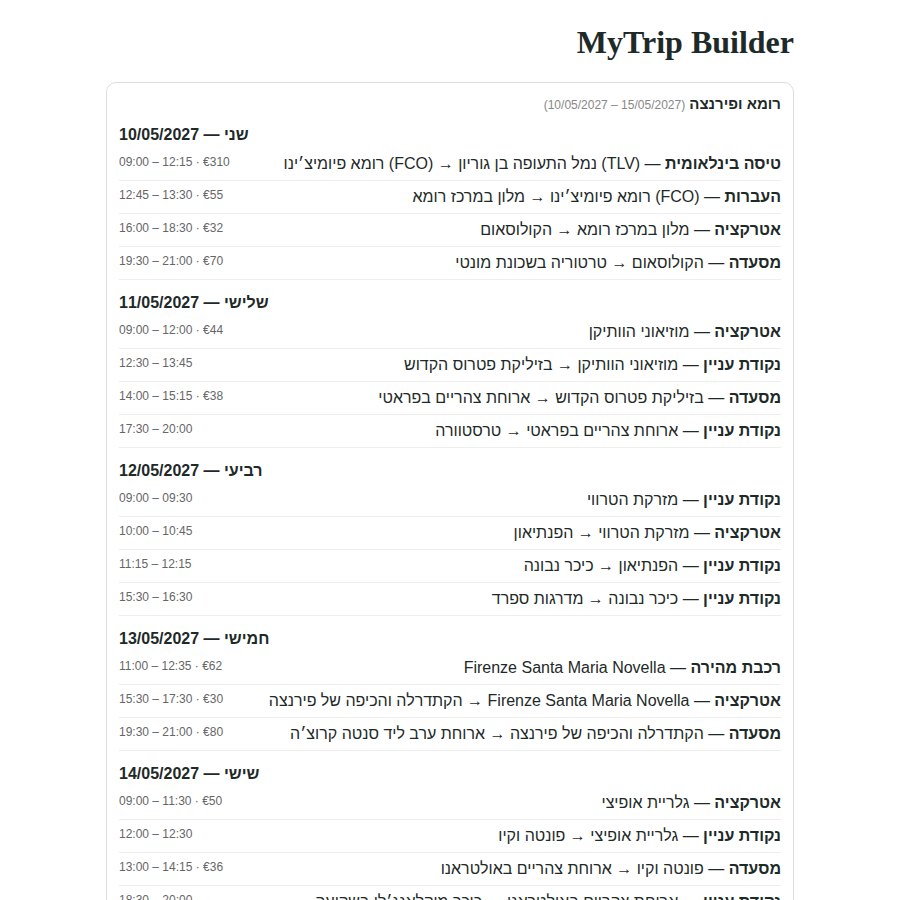
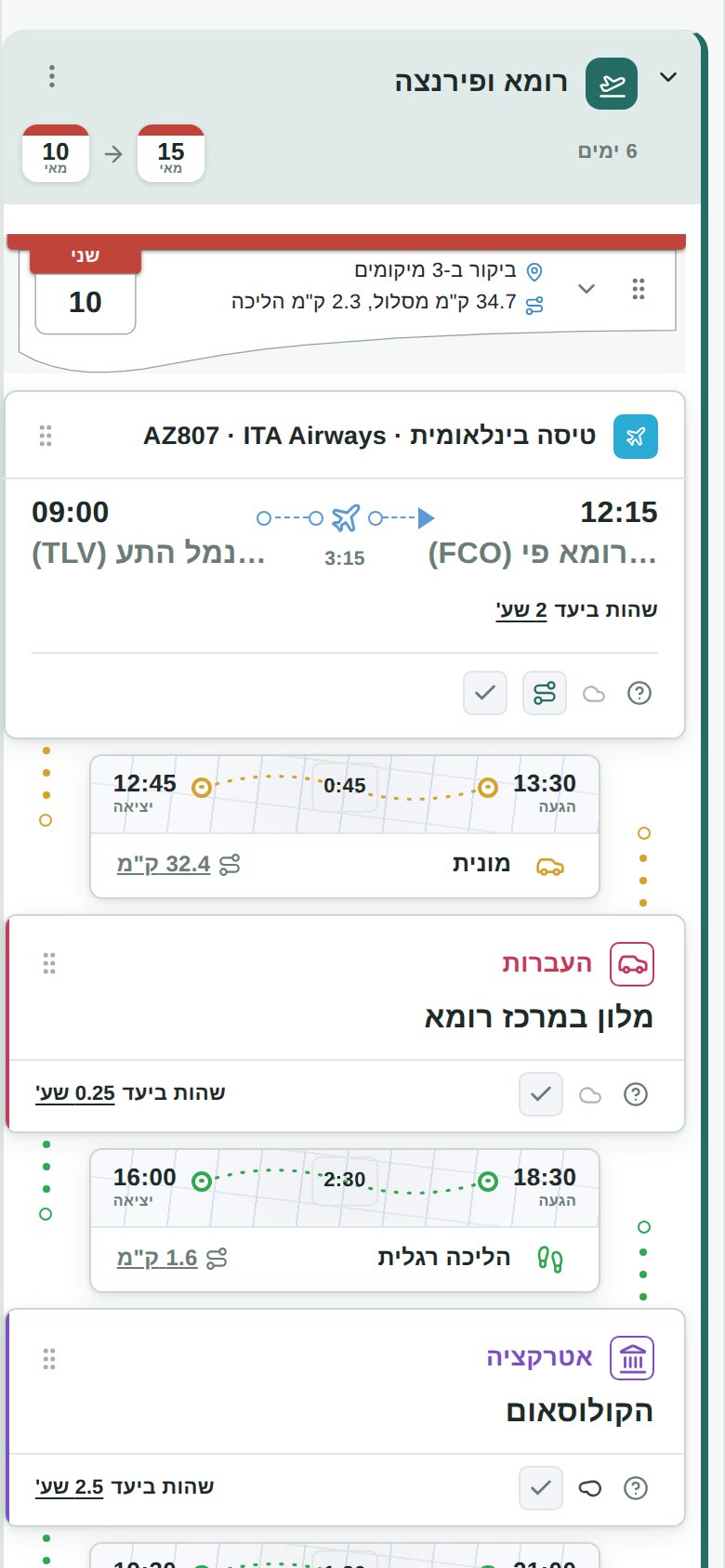
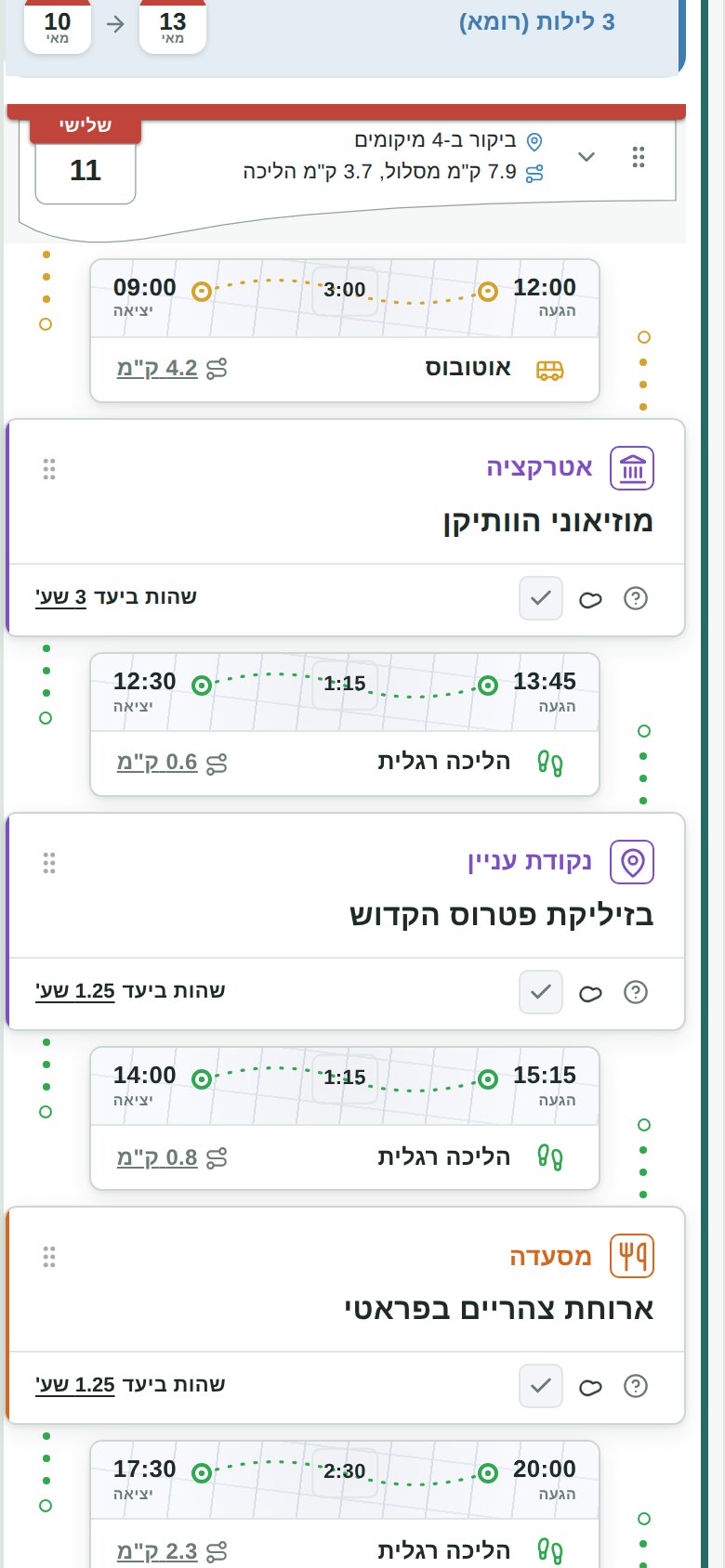
Please use the logos as they are, without changing their colors or proportions. The screenshots show a demo trip (Rome and Florence) with example data: the distances and travel times are illustrative. Click a file to open it, or right-click to save.
- Horizontal logo (PNG, 1037 × 168)
- Wordmark (PNG, 774 × 237)
- Icon, transparent background (PNG, 129 × 123)
- Logo with background (PNG, 600 × 550)
- Screenshots, English: itinerary, trip summary, shareable page (JPEG, desktop), phone: trip, phone: day (JPEG, 780 × 1688)
- Screenshots, Hebrew: itinerary, trip summary, shareable page (JPEG, desktop), phone: trip, phone: day (JPEG, 780 × 1688)



Contact
For interviews, questions or more material, write to mytripbuilder@gmail.com. Please mention your outlet and deadline. Replies are not instant.